- 15
- 0
- 0
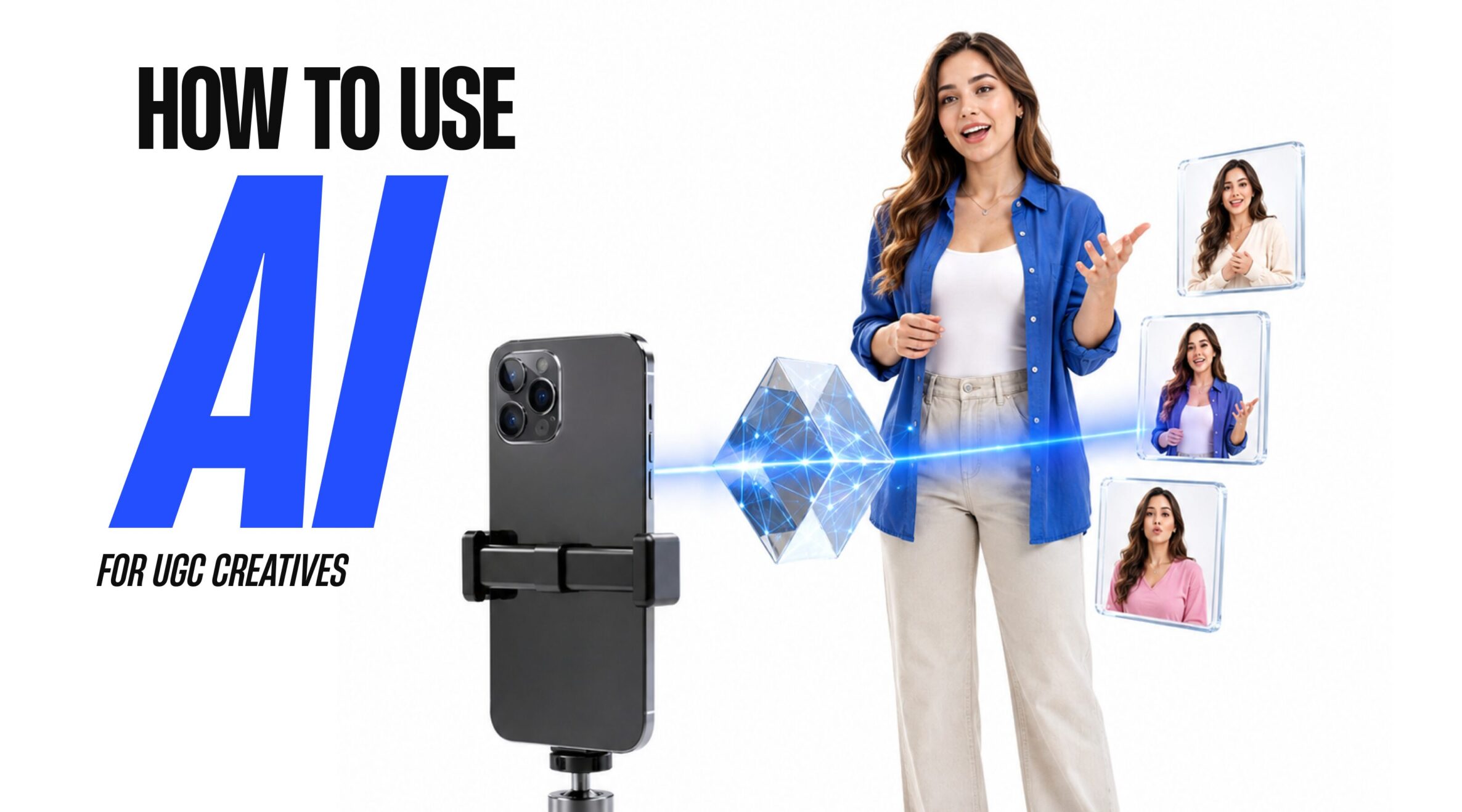
How to create UGC content using AI
UGC is a content format that has recently taken social media by storm. Yes, these days every other piece of content is “UGC,” as strange as that may sound.
Of course, the first thing that comes to mind when you hear “user-generated content” is – surprisingly enough—content created by an ordinary person, rather than in a studio with a whole film crew.
Why is this format so popular? Because for a long time now, natural and unforced imagery has inspired significantly more user trust in a product than an artificial, overly polished image. It’s beneficial for brands to pay creators for their content so they can later use it – whether as a standalone piece of content or to launch advertising campaigns, and so on.
UGC = A real, live creator, right? But even AI has made its way into this space, and now you can create UGC without that “live creator.”
Well, in this article, we’ve put together a guide for you on how AI helps with creating UGC content. So read on and give it a try—this might be exactly what your campaigns have been missing.
How do you make AI-generated UGC look realistic?
We’ve already mentioned that the main appeal of UGC is its authenticity and naturalness.
But very often, creators make AI-generated UGC look too perfect. That’s normal—many of us have an inner perfectionist who wants everything to be flawless. But this makes the neural network’s work too obvious, which undermines trust even more than a studio shoot.
So here are a few tips on how to achieve the perfect “not-so-perfect” look (after all, let’s remember the golden mean):
- The footage should look lively. Add a slight camera shake, minor changes in focus, motion blur, and an imperfect frame composition. The video shouldn’t resemble a sterile studio shoot.
- Don’t forget about natural lighting. Light from a window, soft natural shadows, and slight variations in brightness will make the scene much more convincing than perfectly set-up studio lighting.
- The character should remain recognizable in every scene. Make sure their face, hairstyle, clothing, jewelry, and other details don’t change from frame to frame.
- The skin shouldn’t be perfectly smooth. Add natural texture, visible pores, minor imperfections, and individual strands of hair. It’s these details that eliminate the characteristic “plastic” AI effect.
- Movements must follow real-world physics. When a person moves, their hair should react to the motion, fabric should drape and smooth out, and their hands should interact naturally with objects. This is especially important during a product demonstration.
- Lip-syncing should look imperfect, just like in real life. Add natural pauses, breaths, slight delays, and filler words. After all, people don’t speak continuously and mechanically.
- Focus on the UGC format. A slight camera shake, shallow depth of field, random micro-movements, and that overall “shot on an iPhone” vibe will help the video look like genuine user-generated content rather than a generated result.
But this is just the visual aspect of the creative process. You’ll also need to work on the script separately. Next, check out the guide where we’ll break down every step of creating our perfect “not-so-perfect” video.
Step 1: Create realistic images using GPT Images 2.0
First, gather a solid collection of reference images. Open Pinterest, Instagram, or any other social media platform where you can find UGC creators. Look for UGC videos related to your niche. To get started, try search terms like “skincare UGC review” or “gadget unboxing handheld.” Save about 10 good shots: ideally, they should show different angles, lighting, the creator’s emotions, and how the product is held. This will make it easier for the AI to understand the style you’re looking for.
Next, you can move on to creating the character itself. If you need a highly specific look, try the AI UGC Bible GPT. Here, you can specify almost everything in advance: the creator’s approximate age, appearance, hairstyle, clothing, mood, lighting type, location, and the overall atmosphere of the shot. The more detailed your prompt is, the fewer cringey moments you’ll end up with in the image.
Another option is to use the VISION2JSON tool, which works with uploaded images and screenshots. It converts visual references into structured JSON prompts that can be used for generation. This is handy when you don’t want to manually describe every detail (or when you’ve run out of creative ideas).
Once your references and prompt are ready, open GPT Images 2.0 in Arcads AI and select “image” mode. Paste the prompt, start the generation, and review the results. If the first version doesn’t quite match your vision, you don’t have to rewrite the entire prompt—just ask the AI to refine specific details.
Next, you need to depict the specific product in the model’s hands. Here, simply take the image of the “creator” and the product itself and write something like: “She is holding this product from image 2 in her hand.”
Step 2: You need to “bring the image to life” using Seedance 2.0
The model holding the product is ready—now let’s create a video. To do this, go back to AI UGC Bible GPT and upload all the necessary images there (by the way, you can first generate a few similar characters with the model in different angles for better animation). Next, add a script…
Wait… but how do I create a script if I’m not exactly a director?
Actually, AI will help you out here again. Just go to the classic chat, jot down the important details (overall atmosphere, video length, character, their appearance, the product, etc.), and outline the structure: hook – problem – demonstration – result – CTA. Ask it to write a detailed prompt for Seedance 2.0, and that’s it—you can go back to the animation stage.
Here’s what to do:
- Go to Arcads AI.
- Add images of the model and the product.
- Paste the prepared prompt for Seedance 2.0.
- Select Seedance 2.0.
- Set the aspect ratio to 9:16, duration to 15 seconds, and style to UGC.
- Click “Generate” and wait for the result.
Prompt Examples
Prompt 1:
@image1 + @image2
[0–3s]
The woman from @image1 holds the hair-growth product from @image2 exactly as shown in the reference image, with her fingers naturally wrapped around the bottle. She looks directly into the front-facing iPhone camera with a relaxed half-smile and soft, conversational eye contact. The shot feels spontaneous and creator-made rather than staged. Add subtle handheld micro-movements and gentle autofocus breathing.Warm natural daylight enters from camera-right through a nearby window, creating slightly uneven, realistic shadows across her face and hair. Keep the environment authentic and lived-in: a real kitchen background with visible wooden cabinets, a dish rack, everyday skincare and personal-care items near the sink. Preserve realistic skin pores, fine facial texture, individual flyaway hairs and the natural texture of her cotton T-shirt.
Dialogue:
“Heyy… okay, so my hair’s been feeling so thin and weak lately, like nothing was really helping, you know?”[3–8s]
Make a quick, natural cut while maintaining the exact appearance of the woman and product. The woman from @image1 brings the product from @image2 into a natural demonstration, applying a small amount of the hair-growth treatment to her scalp or hair roots with her fingertips. Her movements should be gentle and believable, as if she is casually showing her audience how she actually uses the product.The camera makes a subtle handheld drift that naturally follows her hand movement. Hair strands should respond realistically to her touch, with natural separation, movement and texture. Preserve realistic scalp and hair detail without making the hair look overly glossy or artificially perfect. The background remains slightly messy, authentic and softly out of focus.
Dialogue:
“But I started using this hair-growth treatment, and honestly? I’m kind of obsessed. It feels so lightweight, doesn’t leave my hair greasy, and it’s actually become part of my routine.”[8–13s]
Cut back to the original selfie framing. The woman from @image1 gently runs her fingers through her hair and brings a section closer to the camera to show its natural texture and appearance. She leans slightly toward the lens with a candid, pleasantly surprised expression.Include subtle natural blinking, small facial movements and realistic jaw motion while speaking. Her hair should move naturally across her shoulders as she moves. Maintain the same one-sided window lighting with realistic variations in brightness and shadow. Avoid polished beauty lighting or an overly perfect commercial appearance.
Dialogue:
“My hair just feels so much healthier and fuller now, and honestly, I didn’t expect to notice a difference this quickly. I’m actually shook.”[13–15s]
The woman from @image1 brings @image2 close toward the iPhone camera lens until the product occupies most of the frame, while her face remains softly visible in the background. She gives a quiet, natural laugh and maintains a casual creator-style expression.The close-up should have subtle edge distortion characteristic of a smartphone front-facing camera. The moment should feel spontaneous and authentic, as if she is finishing a real UGC recommendation rather than delivering a polished advertisement.
Dialogue:
“If you’re struggling with weak or thinning hair… honestly, give this a try. Link in bio, trust me.”Character and product consistency: Maintain the woman’s exact facial identity, hairstyle, hair color, skin tone, body proportions, clothing and accessories from @image1 throughout every shot. No identity drift, facial deformation, hairstyle changes or unwanted alterations between scenes.
Maintain the exact packaging, shape, proportions, colors, label design and visual details of the product shown in @image2. Do not redesign, distort, replace or alter the product.
All movements must follow realistic human physics. Avoid bent or distorted fingers, duplicated limbs, unnatural hand positions, warped facial features or floating objects. Keep the face stable and recognizable throughout the entire video.
Visual style and camera behavior: Authentic handheld iPhone UGC aesthetic. Subtle micro-shake, natural camera drift, realistic autofocus breathing and slight smartphone-lens characteristics. Movement should remain smooth and controlled without excessive jitter.
Use natural window daylight rather than studio lighting. Preserve realistic skin texture, individual hair strands, subtle imperfections and authentic fabric detail. Avoid plastic-looking skin, excessive retouching, artificial beauty lighting or an overly cinematic commercial aesthetic.
Quality requirements: 4K, Ultra HD, highly detailed image, sharp natural textures, realistic skin and hair detail, accurate product rendering, natural colors, balanced exposure, realistic smartphone camera texture.
No motion ghosting, flickering, frame interpolation artifacts, excessive blur, warped anatomy, unstable facial features, product deformation or visual inconsistencies.
Audio and composition
No background music.
No ambient noise.
No text overlays.
No subtitles.
No captions.
No additional graphics.The final result should feel like a genuine UGC recommendation recorded casually on an iPhone by a real creator, while maintaining professional visual quality and strict consistency of the character and product.
Prompt 2:
@image1
A young woman creator records herself with one hand using a front-facing iPhone camera while holding the hair-growth product naturally in the other hand. Before each location change, she briefly reaches toward and touches the camera lens with her free hand, creating a seamless physical transition between scenes.
[0–4s] Bedroom — casual UGC introduction
The woman from @image1 stands in a realistic bedroom, wearing an oversized grey hoodie with her hair styled in a slightly messy bun. A rumpled bed and a few casually scattered clothes are visible in the background. Natural daylight enters through a nearby window from camera-left.She holds the hair-growth product naturally while speaking directly to the camera. Her skin retains visible pores and subtle imperfections, while individual flyaway hairs and the texture of the hoodie remain clearly visible. The framing is slightly imperfect, with gentle handheld movement and natural smartphone-camera drift. She finishes the first scene by reaching toward the lens and briefly covering it with her hand.
[Cut — lens transition]
As her hand touches the camera lens, transition seamlessly into the next environment. The movement must feel physically connected, as if the same hand movement naturally causes the location change.[4–7s] TV newsroom
The exact same woman instantly appears as a TV news anchor inside a modern newsroom. She now wears a fitted navy blazer with subtle natural makeup. Several newsroom monitors glow softly in the background.She maintains the same facial identity, hairstyle and overall appearance from @image1 while presenting the hair-growth product naturally toward the camera. Lighting changes realistically to match a professional newsroom environment while preserving authentic skin texture.
She briefly reaches toward the camera and touches the lens again.
[Cut — lens transition]
The lens-touch creates another seamless location change with no visible jump, morphing or distortion.[7–10s] Medical clinic
The same woman now appears as a doctor walking through a busy clinic hallway. She wears blue medical scrubs with a visible ID badge. Medical carts and everyday clinic activity remain slightly out of focus in the background. Use realistic mixed fluorescent lighting.She casually holds the hair-growth product while speaking to the camera, maintaining natural eye contact and believable body movement. Hair strands, clothing and hands react naturally as she moves.
She reaches toward the lens and touches it once more.
[Cut — lens transition]
The hand physically covers the lens and immediately reveals the final setting without breaking continuity.[10–15s] Podcast studio
The woman from @image1 is now sitting casually on a couch inside a realistic podcast studio. She wears a black oversized sweatshirt with headphones resting naturally around her neck. A microphone arm and slightly messy coffee table are visible behind her. Warm practical lamp lighting creates a cozy, authentic environment.She holds the hair-growth product naturally and addresses the camera with relaxed creator energy. Her expression should feel spontaneous rather than rehearsed. Include subtle blinking, natural facial movements and realistic hair flyaways.
Dialogue:
“I’m not even a real person. Anyone can make me. And this is actually so simple. You can imagine me doing anything. I can be a TV news anchor… or I can be a doctor… or I can host a podcast in a studio sitting on a couch. And honestly, I could even show you exactly how I use this for my hair.”Character and product consistency: Maintain the exact facial identity and appearance from @image1 throughout every scene. Preserve the same face structure, eyes, nose, lips, skin tone, hair color and recognizable features. No identity drift, facial morphing or deformation.
Keep the hair-growth product visually identical whenever it appears. Preserve its exact packaging, shape, proportions, colors, label and branding. Do not redesign or distort the product.
All hands, fingers, arms and body proportions must remain anatomically correct. No duplicated fingers, bent limbs, warped hands or unnatural poses.
Transition requirements: Every camera-lens touch must be physically connected to the following scene. The hand should move naturally toward the lens, briefly cover the frame, and reveal the new location immediately afterward.
Transitions should feel like a deliberate UGC creator trick rather than an AI morph. No random object changes, facial distortion, flickering or unexplained camera movement during transitions.
Visual style: Authentic handheld iPhone selfie aesthetic throughout the entire video. Subtle camera drift, natural micro-movements, realistic smartphone perspective and slightly imperfect framing.
Preserve visible skin pores, natural hair flyaways, realistic fabric textures and small imperfections. Avoid excessive beauty retouching, plastic skin, artificial hair or a polished commercial appearance.
Each location should have its own believable lighting:
- Bedroom — soft natural window daylight.
- Newsroom — realistic cool newsroom lighting.
- Clinic — mixed fluorescent medical lighting.
- Podcast studio — warm practical lamp lighting.
Despite the location changes, the character must remain immediately recognizable.
Technical quality
Vertical 9:16 composition.
4K Ultra HD.
High-detail textures.
Sharp but natural image quality.
Realistic skin and hair rendering.
Natural colors.
Smooth, physically believable movement.Avoid excessive jitter, motion ghosting, flickering, frame instability, facial warping, unnatural anatomy, product deformation or inconsistent character details.
No background music.
No ambient noise.
No text overlays.
No subtitles.
No additional graphics.
Step 3: Fine-tune the video in CapCut
Once the video has been generated, export it from Arcads AI to CapCut for final editing (or use any other app you prefer).
Important: Avoid the “effects panic.” Keep the editing simple, clean, and free of unnecessary details. You can add a subtle handheld effect, gentle grain, and warm color grading in the style of iPhone footage, etc. If needed, add relevant audio, subtitles, and other details (but not too many!!!).
After that, the video is ready to be shared with others.
To sum up
This is how user-generated content becomes not quite so “user-generated” anymore. Still, it’s great that AI can now create content in this style. If you’re a media buyer working, for example, with a brand, you don’t always have the option to commission a video for a specific campaign, let alone create it yourself. That takes time to find a creator and, of course, a significant amount of money (because who’s going to do all that for free?).
With this approach, you can generate the video you need in a single evening and, as a result, achieve significantly better conversion rates.
So, friends, test it out, upload your videos, and don’t forget about AFFHUB. See you soon!

- 15
- 0
- 0
- By rating
- In order