
- 119
- 0
- 0
An Anti-Detect Browser That Thinks for You: A Review of Aurorium’s New Product
Be honest—how often do you struggle to find a high-quality service, specifically an anti-detect browser, that lets you work without unnecessary stress?
They say this can be a problem because either the price doesn’t match the quality, or issues arise during use that are difficult to fix later.
Today, AFFHUB is reviewing a new anti-detection browser that’s simply impressive in its functionality. They say it will do most of the work for you, but that’s a secret!
Well, meet your new savior—Aurorium. It’s an intelligent browser with anti-detection capabilities that lets you safely manage your accounts without the risk of getting banned, offering maximum functionality and providing the necessary set of tools, including innovative features previously unavailable on the market. When it was created, the audience’s pain points and wishes were the priority, not mindlessly copying competitors.
Let’s dive into the essence of Aurorium together, explore all its advantages, and find out why it’s exactly what you’ve been looking for!
Aurorium—an anti-detection browser that works for you
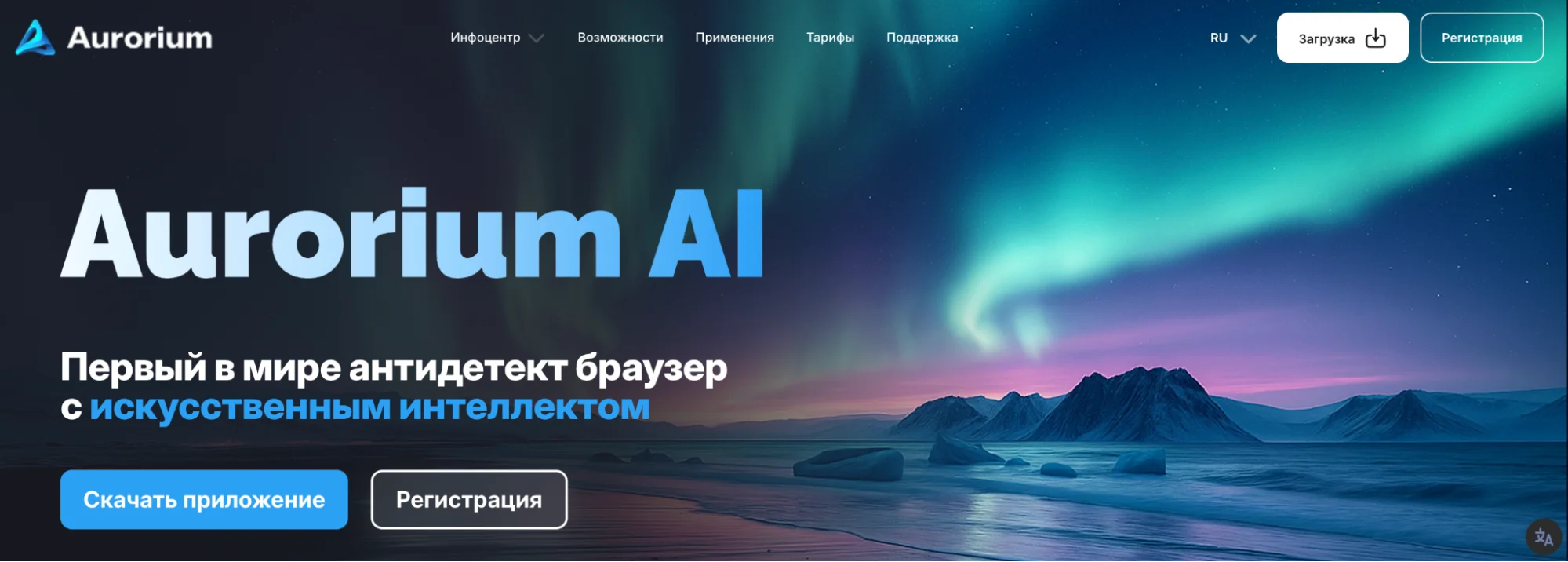
Well, the interface itself is quite intuitive, user-friendly, and visually appealing. When you log in, you’re greeted by a pleasant design, and you immediately see everything you need right there in the app. No long searches—everything is right at your fingertips. A special shout-out to the dark theme (my eyes are grateful).
Now let’s move on to the real gems of this anti-detect tool… They say it’s all top-notch!
Built-in AI and Aurorium Fingerprint
Anti-fraud systems have reached a whole new level compared to previous years. Now they’re full-fledged LLM neural networks capable of detecting even the slightest discrepancy. These aren’t the classic bots that often existed just “for show.”
For example, if the system sees you as a successful businessman who’s clearly well-off, but you’re logging in from a cheap PC, you can kiss goodbye to all the time you spent building a flawless reputation as a trustworthy wealthy individual. The anti-fraud system spots this immediately and either blocks you from proceeding or bans your account altogether.
It’s precisely for cases like these that Aurorium has taken care of its players and introduced its own unique feature—the Aurorium fingerprint. This marvel works on the principle of smart matching. The built-in AI generates a social profile and selects corresponding browser fingerprints to match it. To do this, you need to provide key details: location, age, status, employment, and so on. The algorithm will then automatically create the perfect match between your profile and browser fingerprints, and voilà—the anti-fraud system no longer considers you a suspicious user.
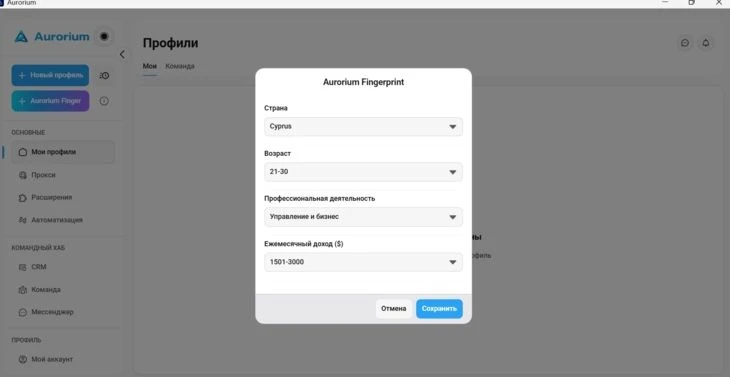
What’s more, Aurorium has also taken care of managing a large number of accounts.
They’ve designed the system so that browser fingerprints within a single account don’t overlap with each other. Thanks to this, you’ll be able to avoid numerous bans, since platforms like Facebook often suspend profiles due to non-unique browser fingerprints.
A messenger built into the anti-detect browser
We suspect we’re not the only ones surprised by this feature. A messenger in an anti-detect browser is truly something new. If you were thinking of classic bot support, you’re mistaken. This is indeed a full-fledged messenger—you didn’t mishear that. Imagine logging into your anti-detect browser and finding a built-in version of Telegram.
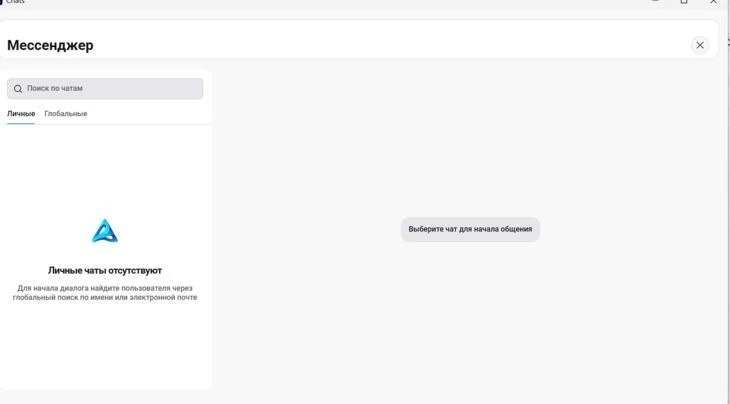
It has several tabs:
- Personal chats
- Team chats. In fact, there are full team settings here that allow a user to be a member of up to 20 teams simultaneously and switch between them with a single click. In addition, you can create entire sub-teams within teams to further optimize your workflow.
- A global search bar that lets you find anyone registered on Aurorium. That’s modern-day networking—right in the app.
Organizing Your Workspace
If you thought the Aurorium developers stopped at a messenger, here are a few more useful features that turn your ancient world into a full-fledged workspace you won’t want to leave.
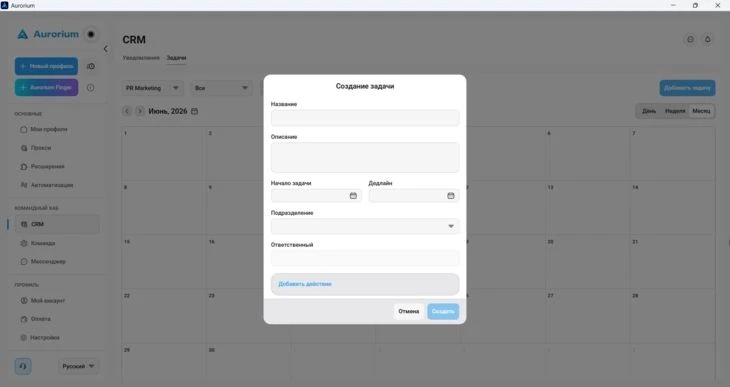
Need to plan tasks? There’s a top-notch CRM here that includes a tracker with deadlines and a calendar. The service automatically sends reminder notifications when a task’s deadline is approaching.
Synchronization
Work in one window and automatically replicate it across 10 others. That’s exactly how Aurorium’s synchronization works. First, all tabs are conveniently arranged in a row or as tiles. Second, there’s no need to repeat the same actions in each tab separately. Paste a link into one tab, and it appears in the others. For those who appreciate aesthetics and enjoy customizing their workspace, various themes and backgrounds have been created, so you can play around with these little details.
The app also offers automatic page translation. You can switch between different regions without third-party plugins and translate all text with a single click.
Timer for Profiles
For example, you work with multiple accounts and constantly have to switch back and forth between them, manually keeping track of the time frames for each one. You either try to keep it all in your head or set a million alarms on your phone. Then you get them mixed up and can’t figure out whether it’s time to wake up, or if you should have woken up an hour ago, or if it’s time to link a card.
That’s exactly why Aurorium created custom reminders for each profile, which you can configure however you like and then receive notifications from the app telling you it’s time to check in on one of your accounts.
Get smart proxy parsing and extra protection against issues
Aurorium’s security is verified by a Cure53 audit. So if you hear anything about security, know that it’s not just for show here.
When you do everything yourself, there’s clearly a higher chance of making a mistake. Aurorium selects secure settings and adjusts the data so that everything is clear. It extracts the necessary information from a proxy or your local IP address.
Smart parsing is another nice feature. Used to copying and pasting everything manually? Forget it—Aurorium will do it for you. You just need to enter, say, a password, and the system will automatically copy it to other windows.
Ultimately, as you’ve already realized, everything here is designed to optimize your workflow as much as possible and save you time.
Convenient mobile version
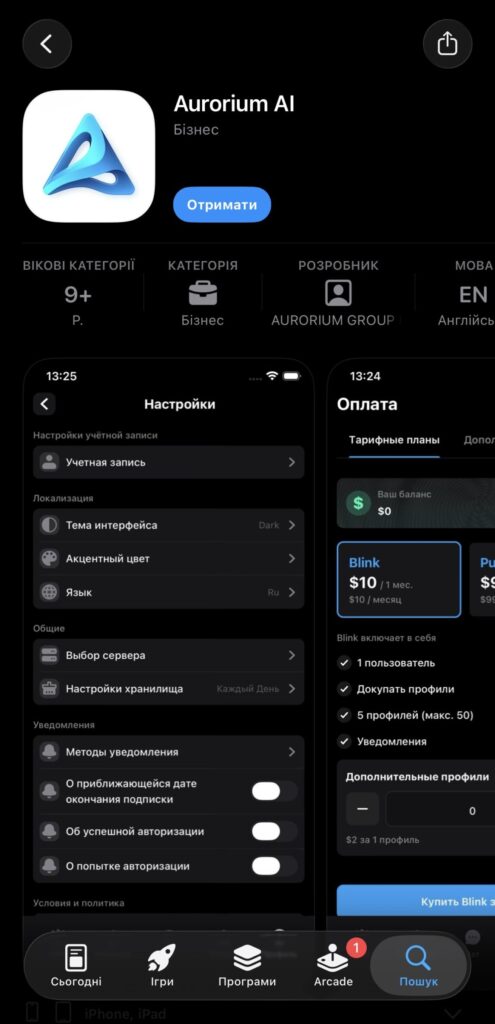
This is definitely a major advantage, since most traders are used to working from their laptops or constantly carrying them around. With that in mind, Aurorium has developed a user-friendly mobile version of the platform. The app is available for both iOS and Android.
You decide to hit the gym during the workday because “rush hour” starts there after 6:00 PM. Between sets, you check the app and keep an eye on everything you need—including your team’s progress, since, as we’ve mentioned, Aurorium is less of a simple task management tool and more of an online office. Downsides? We don’t see any)
Now a little about the browser itself and where to find it
We’ve already mentioned the user-friendly interface, which helps you minimize the time spent searching for the right tab. All the key tools are located in the left navigation panel, which consists of three sections: workspace (profiles, proxies, extensions, and automation), team settings, and personal account settings.
Creating a new browser profile is also not too difficult. All you need to do is select a browser engine (Windows, macOS, or Linux) and, if desired, link a proxy server. After that, the service will automatically generate the ideal set of browser settings, saving you the trouble of manually configuring all the settings. If you want an even better configuration, click on Aurorium Fingerprint, which we covered in a whole section above.
Cookie management is also top-notch. Simply drag and drop a JSON or TXT file into the corresponding field—drag-and-drop support makes importing quick and convenient.
The previous session restore feature deserves a special mention. If you enable it, the tabs that were open during your last session will automatically open when you launch the profile. For those who regularly work with many pages, this will be a huge help.
In Summary
Working with an anti-detect browser requires the utmost precision. As we know, the cost of a mistake can be extremely high, so in this case, it’s best to choose only proven services.
Aurorium isn’t just another anti-detect browser whose developers copied a competitor and partially changed the interface. It’s a well-thought-out platform that’s called an “anti-com,” but actually handles far more routine tasks than you might imagine. It’s safe to say that in the world of anti-detect tools, this is a breath of fresh air. So, friends, give it a try!
🎁 Exclusively with the promo code AFFHUB4, you can get 4 days of free browser access on the Pulse plan

- 119
- 0
- 0
- By rating
- In order