- 12
- 0
- 0
Over 4 million new ads every day: an overview of the TYVER spy service
AFFHUB is here, and today we’ve decided to talk about creatives in affiliate marketing. Analyzing competitors before launching a campaign is no longer a taboo topic – it’s a must-do before any campaign launch.
Today, we’ll explain why it’s important to analyze competitors’ creatives before launching a campaign and how to do it easily using spy services.
Why Competitor Analysis Is a Must Before Launching a Campaign
It’s actually as simple as it gets. Analyzing competitors not only helps you understand which approaches are in demand in a specific GEO but also helps you save significantly on testing. The math here is extremely simple – if a campaign has been running for a long time, it’s clearly generating profit for someone.
Of course, this doesn’t mean you should copy other people’s creatives and use them to drive traffic. And it’s not just a matter of ethics – it’s also because every campaign is unique. Even identical creatives can yield different results. However, competitor analysis allows you to find an approach that actually works, which can save you a significant amount of your budget.
How to Analyze Ad Creatives Before Launching a Campaign
There are two options here. The first – which is longer and more tedious – is analyzing the ad library. The advantage is that this option is more accessible. However, you pay for it with your time, as searching for the right ads can take hours.
The second method, used by most media buyers, is spy services. They collect ads from most major sources, sort them according to different needs, and provide you with a ready-made selection of the best options. Today, we’ll show you how to work with spy services using TYVER as an example.
What You Should Know About TYVER Before Getting Started
TYVER is a spy service that lets you monitor ads on Meta platforms – Facebook, Instagram, and others. It’s suitable for media buyers, e-commerce professionals, and marketers alike. TYVER allows you to quickly find and sort through competitors’ ad creatives and campaigns to generate ideas for your own campaigns. Among TYVER’s advantages:
- Over 4 million new ads are added to the database every day.
- Ad parsing from 140+ GEOs and countries.
- Over 20 filters for precise searches: keywords, GEO, domains, CTAs, formats, Fan Pages, apps, and other parameters.
- Filters by activity, ad duration, reach, and audience age and gender for supported GEOs.
- Search by domains, URL parameters, apps, and other identifiers.
- The ability to find similar ads by an advertiser’s domain and Fan Page and quickly analyze competitors’ advertising approaches.
- Pre-built sections for searching gambling creatives by slots and offers.
- Save ads to your favorites.
- Built-in unique ID generator for creating a large number of unique creative copies.
- Public API for automating work with ad data.
- Team collaboration features, including the ability to create sub-accounts.
How to Get Started with TYVER
To get started, follow the link and complete the quick registration. After that, answer a few basic questions to gain access to the service.
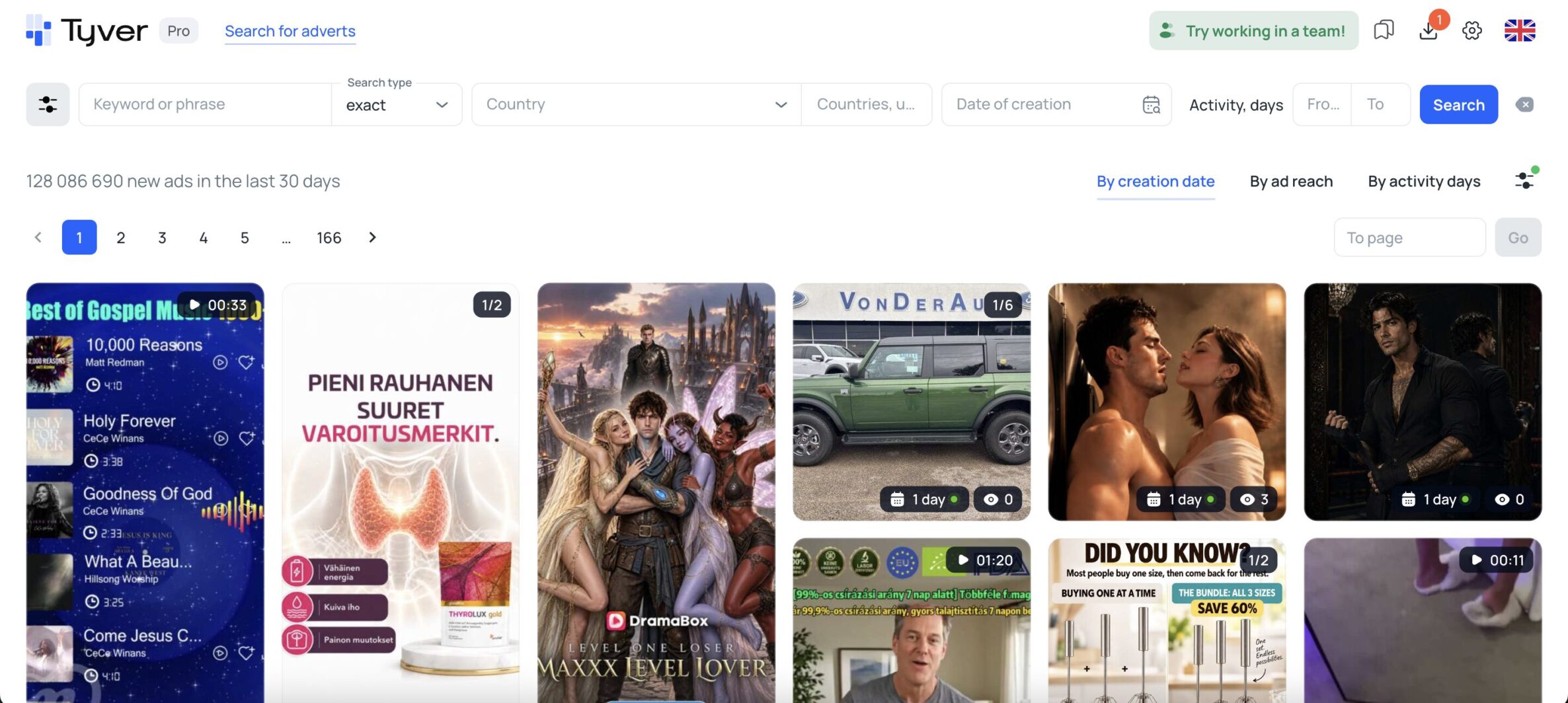
On the home page, you’ll immediately see basic filters for GEO, creation date, and keywords. This means you can find the ads you need right away. By default, the search type is set to “exact” – this will only return ads that contain the exact keyword. If you select the “broad” search type, you’ll also see ads that don’t contain the exact keyword but include similar terms.
There’s also an advanced filter that lets you find exactly the ads you’re interested in. Here, you can sort them by format, size, placement, “Call to Action” button text, the presence of a lead form, and many other parameters.
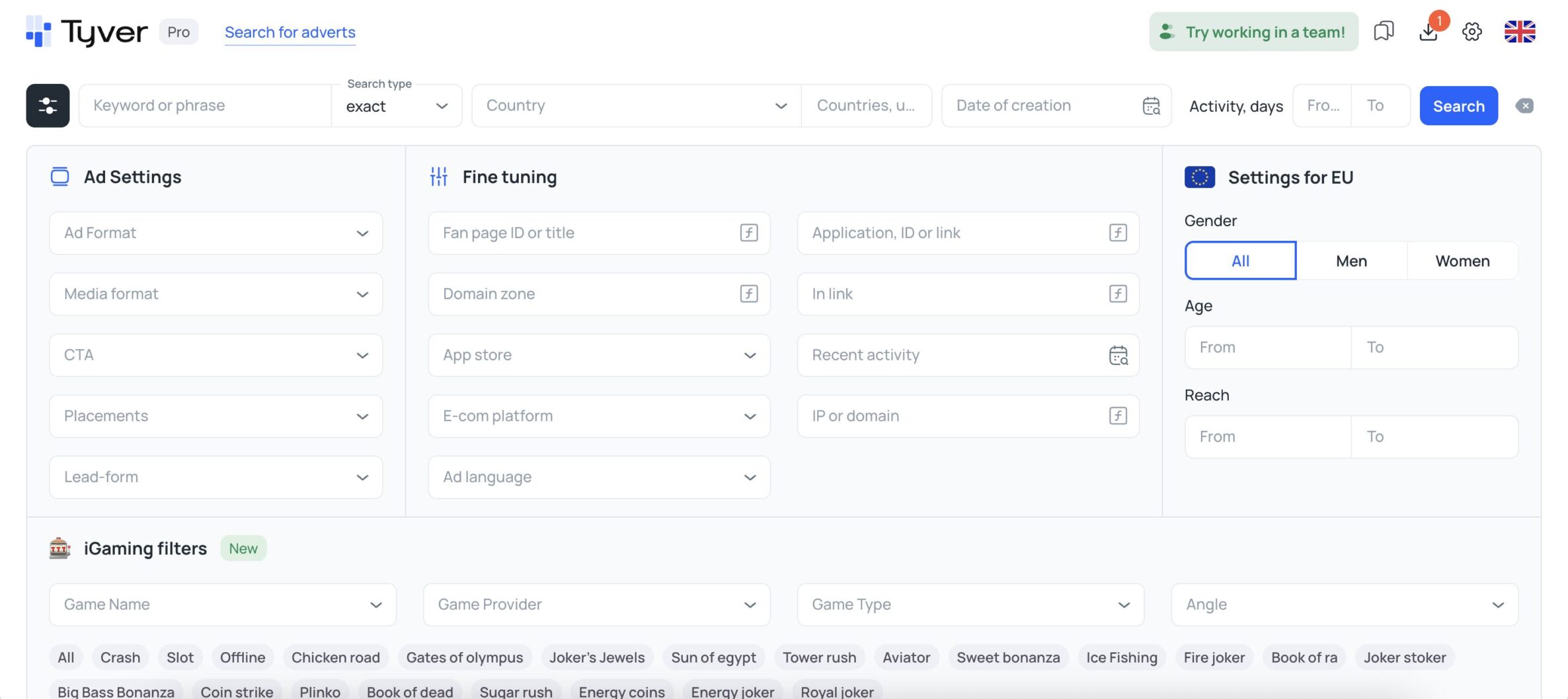
Among the available search options, you can, in particular, select detailed settings. These allow you to exclude all generic creatives so you can focus exclusively on arbitrage campaigns. Here’s an example of how this works with the link filter.
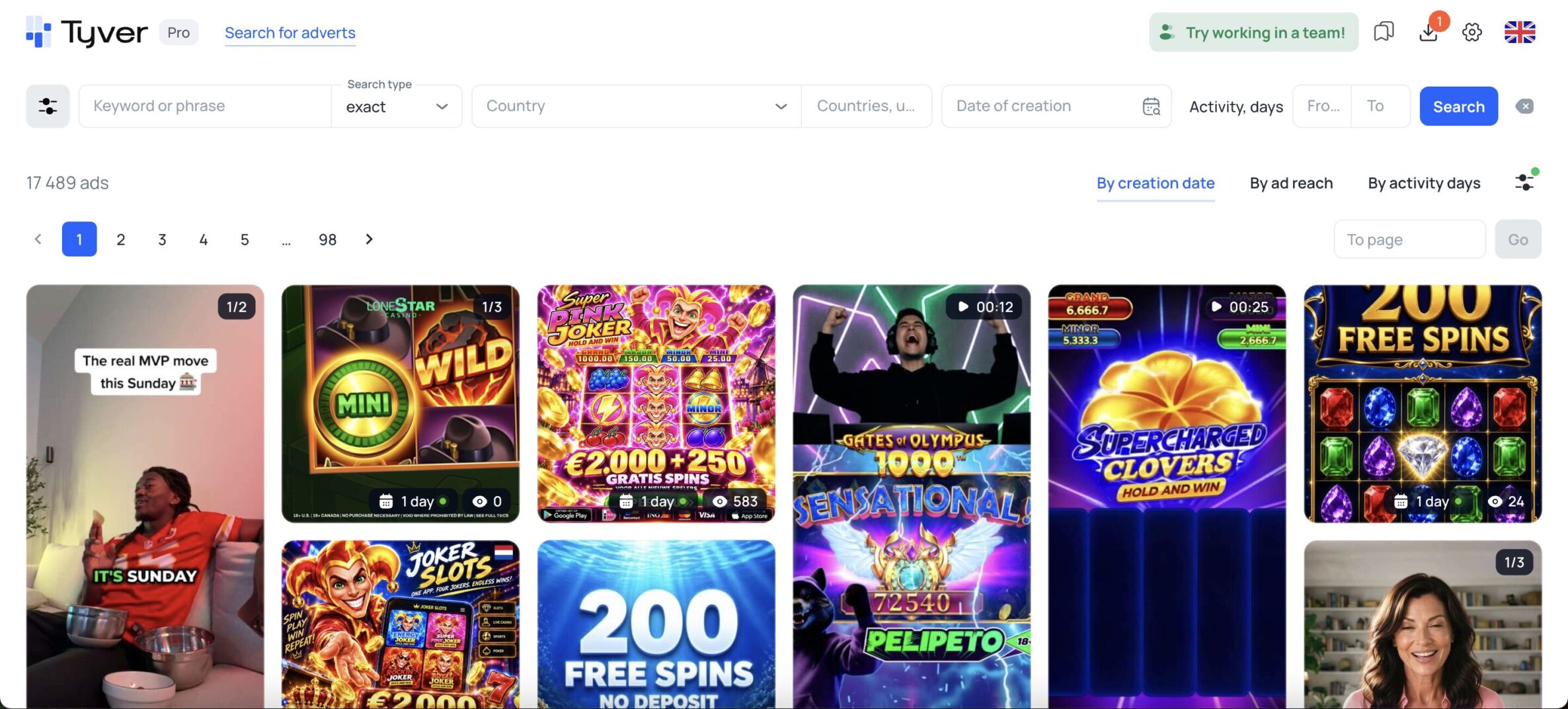
Continuing with the topic of filters, you can sort images by creation date, ad reach, and days of activity. For example, if you’re interested in ads that have achieved the highest reach across Europe, you can sort them immediately and see the corresponding results.
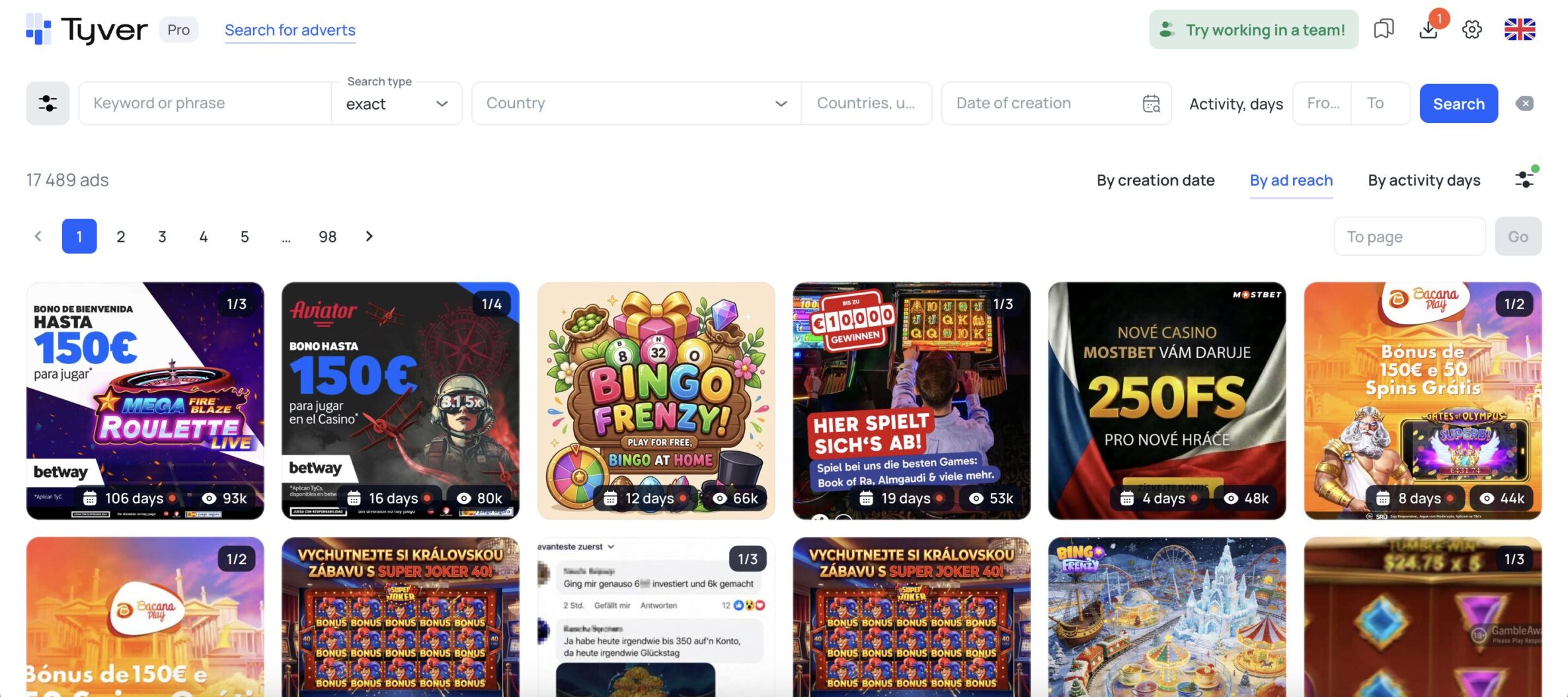
You can also immediately look at the duration of an ad’s activity and compare it to its reach. In the example above, the first creative garnered 93K views over 106 days. Meanwhile, the second creative garnered 80K views in just 16 days. Based on this, you can draw conclusions about the relevance and audience reception of the creative.
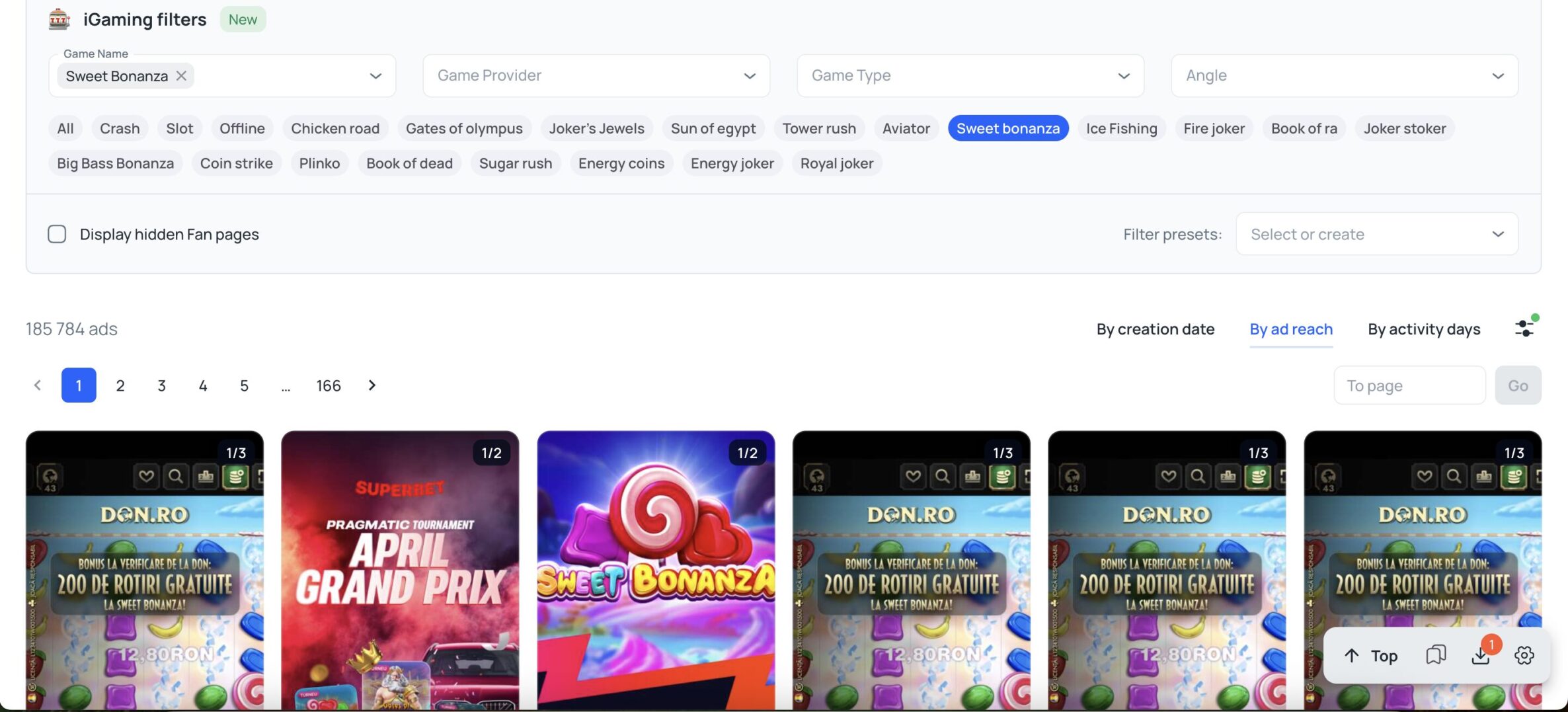
There’s also a search feature by vertical. Currently, only gambling is available, but the developers plan to add apps and e-commerce soon. As for gambling, the additional filters for specific games are extremely convenient. For example, if you select the Sweet Bananza slot, you’ll immediately see creatives related to that theme.
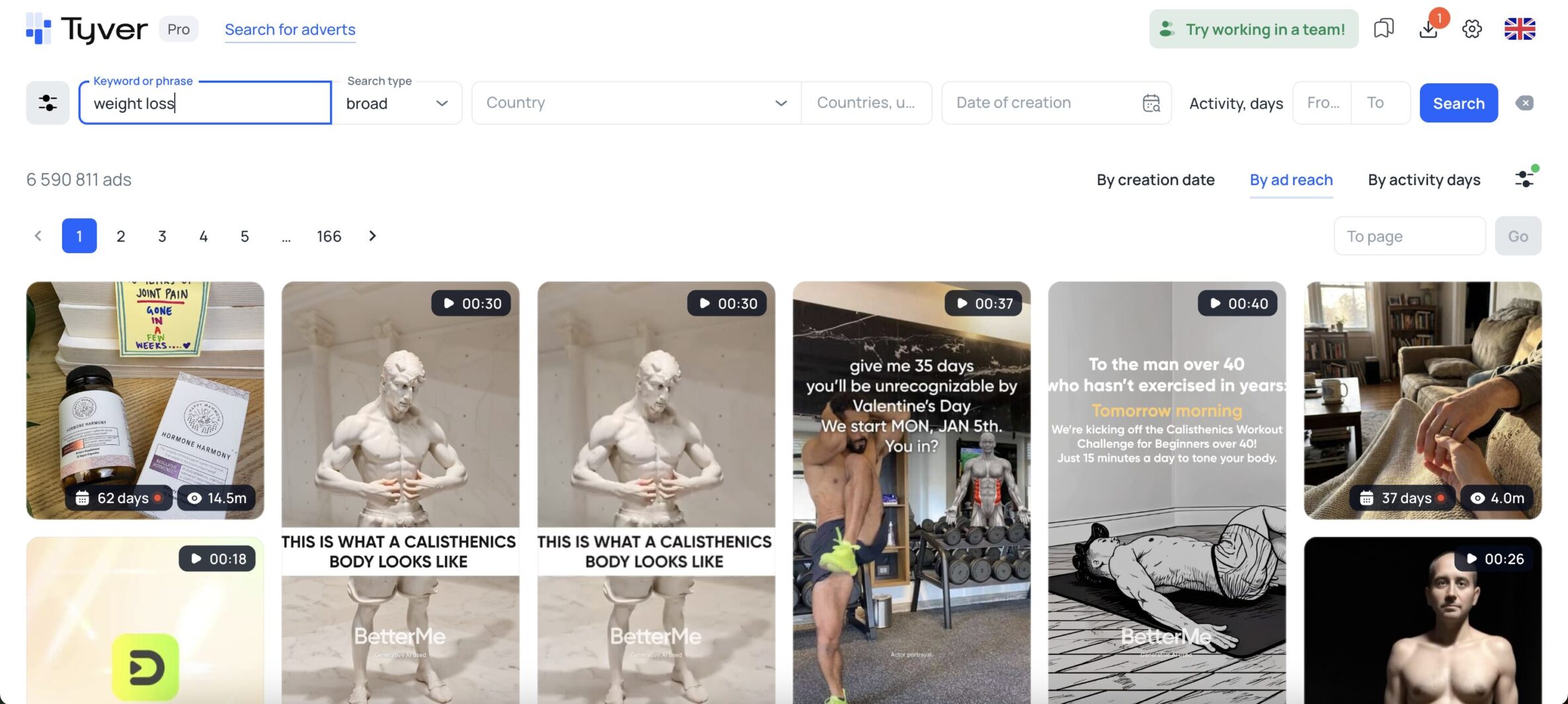
If you’re interested in creatives in other verticals, you can simply use the regular search. To do this, for example, type in “weight loss product” and select the “broad” search type.
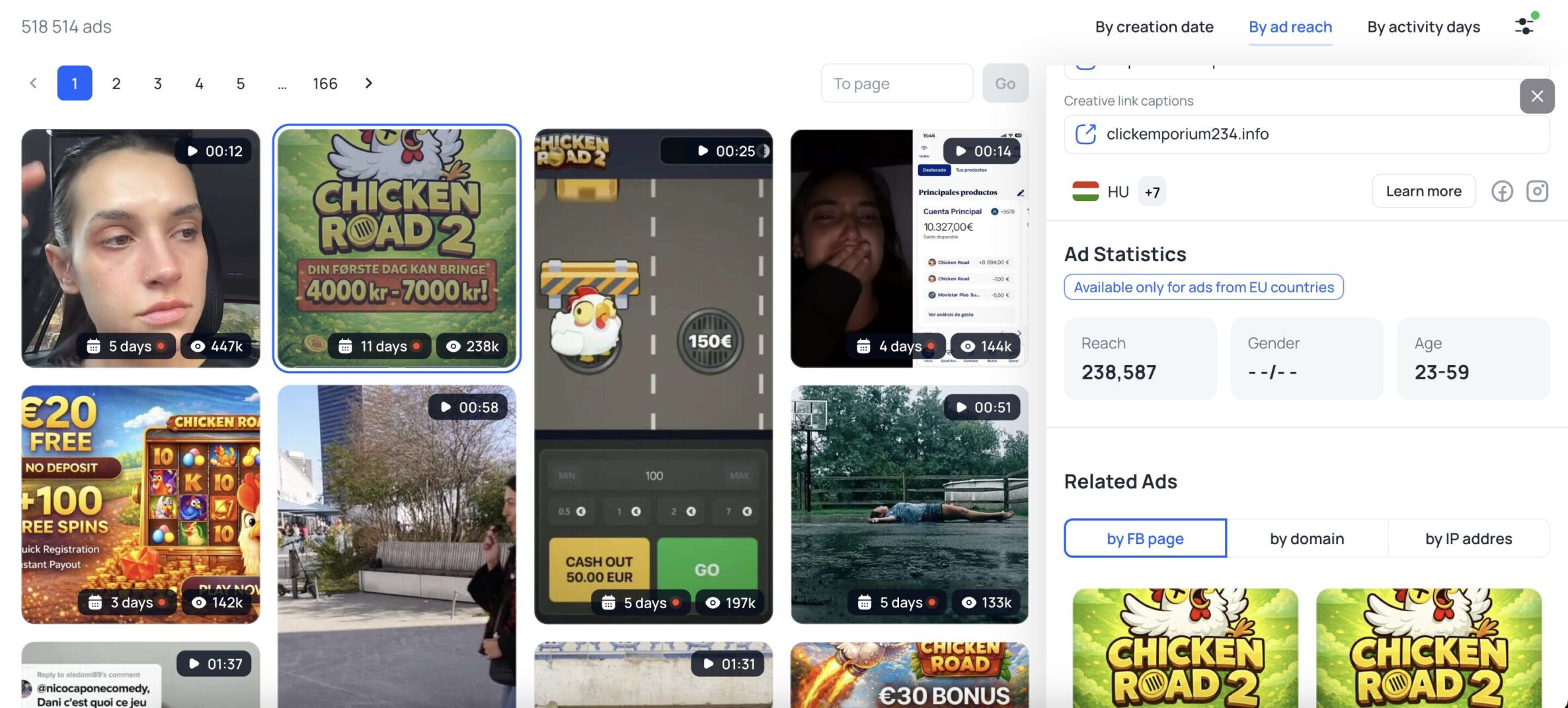
In the ads, you can also view the targeting settings—specifically, gender, age, total reach, and GEO. You can also find similar creatives or go directly to the ad library to see all the other details for the selected option.
In addition, you can make the image unique right here, tailoring it specifically for Facebook. To do this, click the AI icon in the top-left corner of the ad.
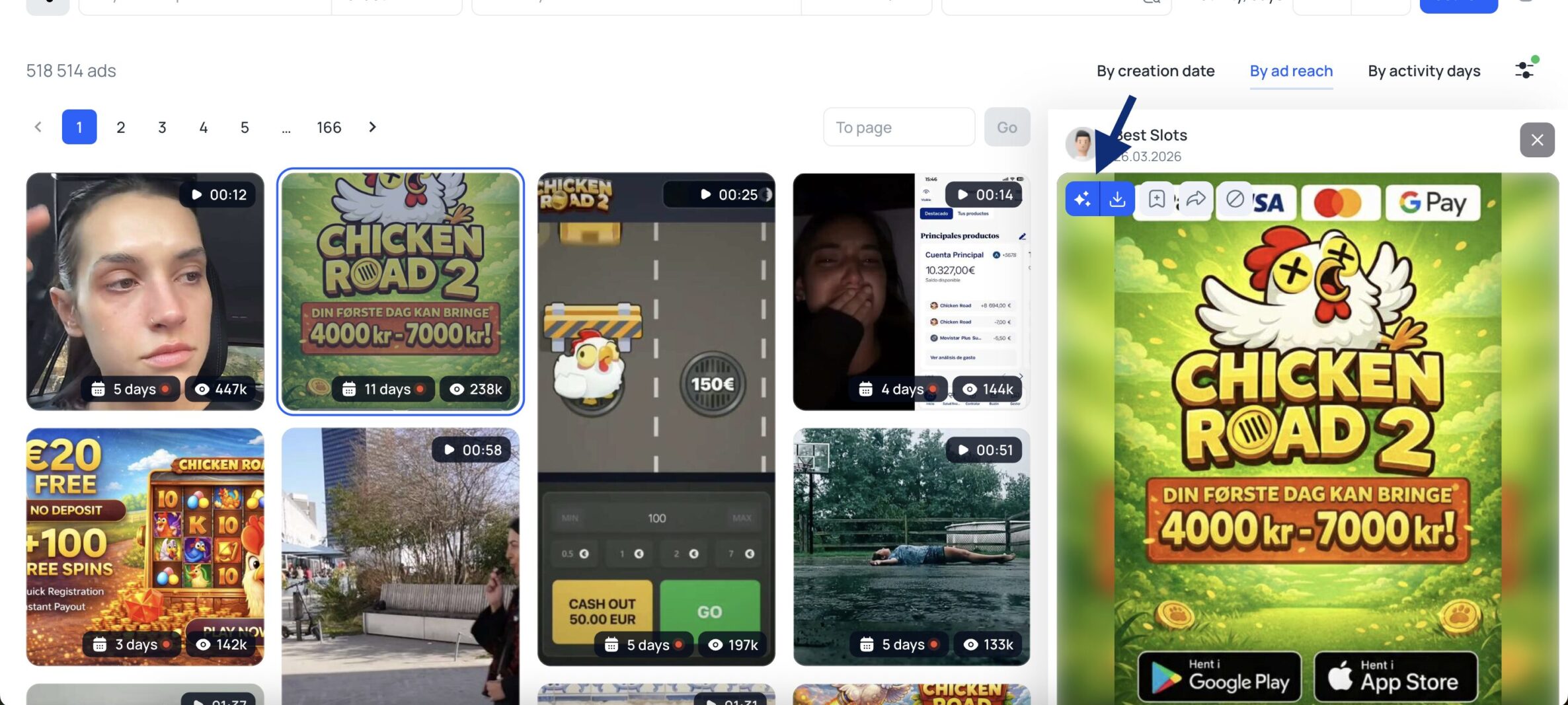
Next, enter the customization parameters. As a result, you’ll get a creative that Facebook will recognize as new.

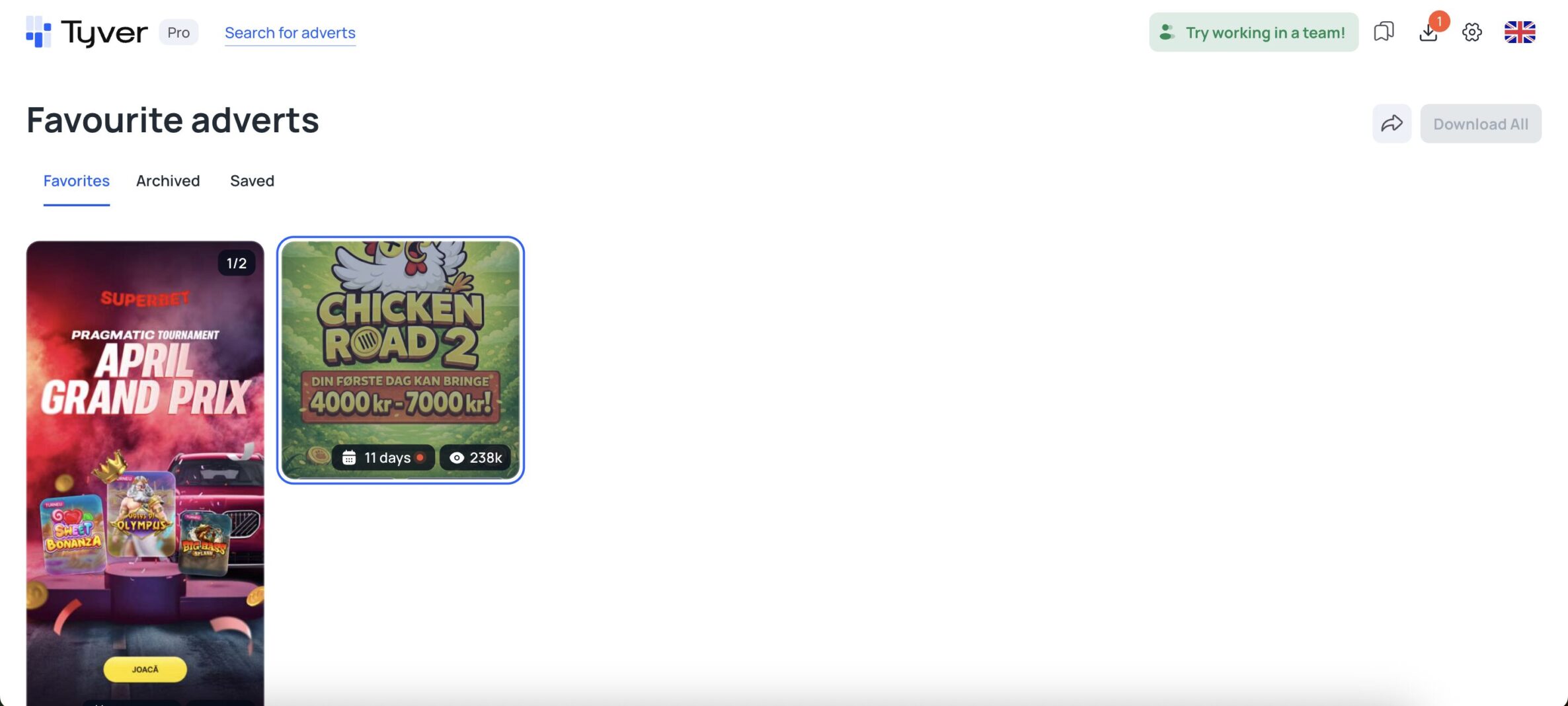
You can also select the ads you like right here by adding them to your favorites. After that, you can view all relevant ads in the “Saved” category. This is a handy feature when you need to analyze dozens or even hundreds of creatives and select only a few of the best ones.
What About Pricing?
The service offers three basic pricing plans. Note that even with the free plan, you can already use some of the service’s features. However, for full access, you can choose the PRO subscription. You can find all prices and terms in the screenshots below:
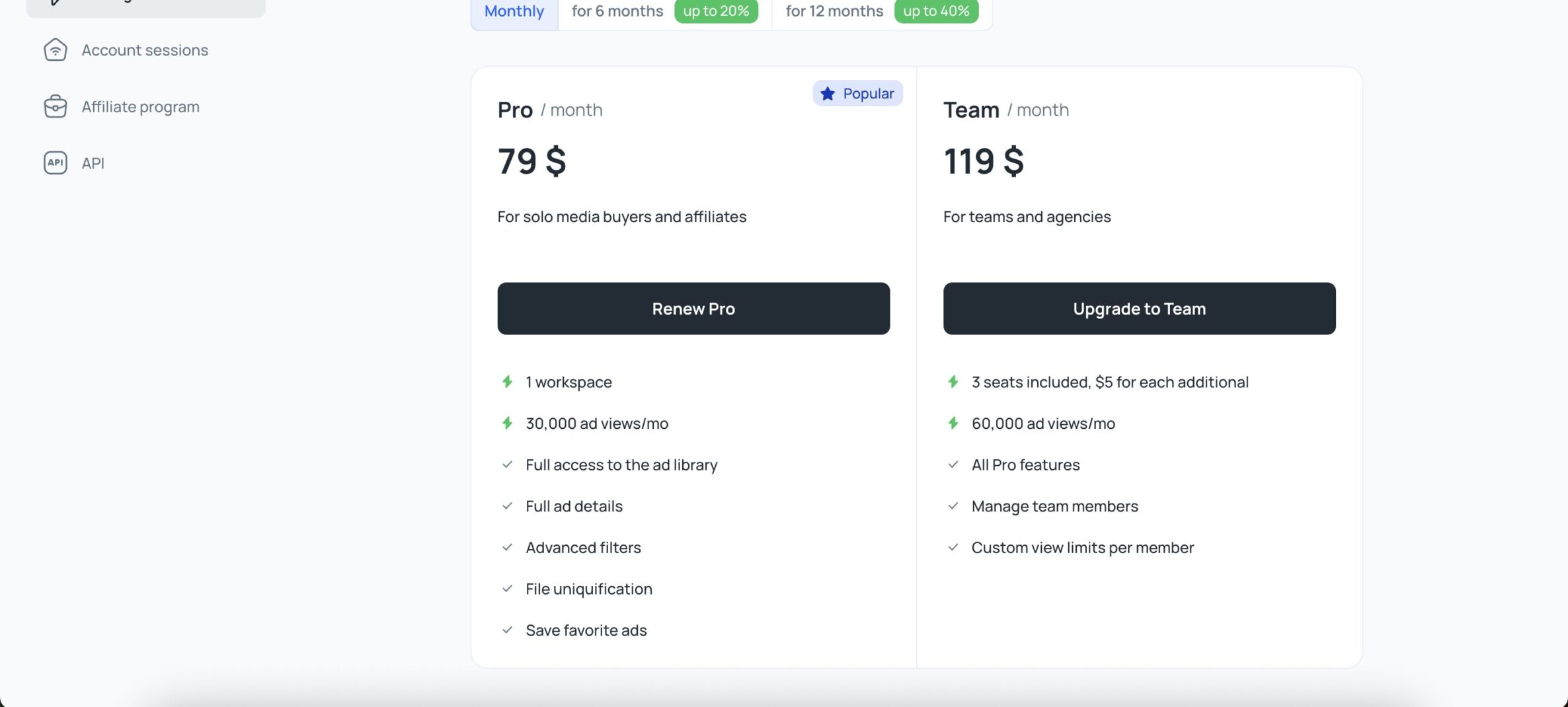
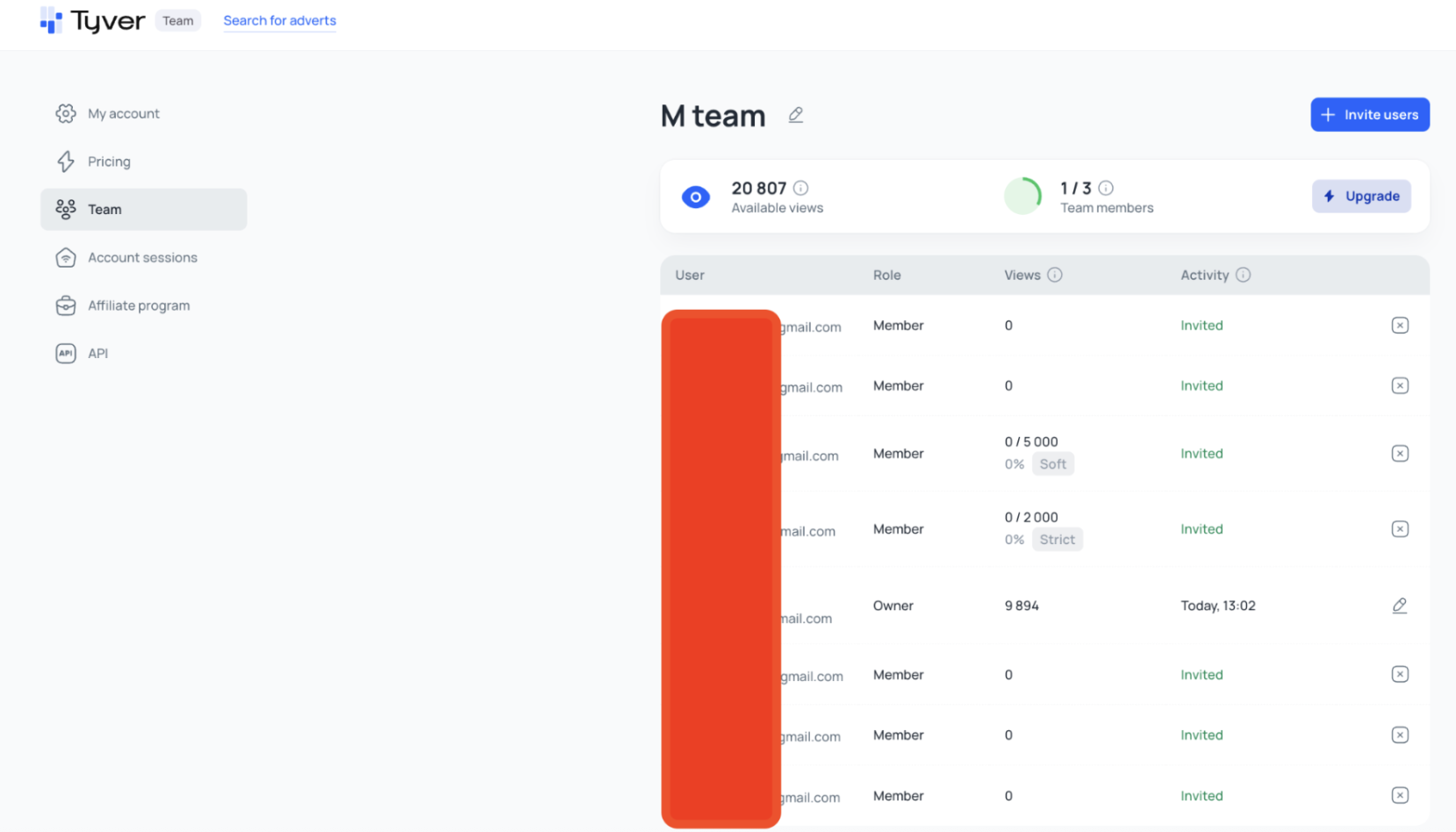
The most popular plan is PRO. However, if you have a team, you can save significant resources by signing up for a Team subscription. For a small additional fee, you get three user accounts instead of one. And you can add an unlimited number of new accounts for just an extra $5.
In addition to receiving all the same services included in the PRO version with the Team subscription, you can also manage team members, set limits, and more. In other words, it’s a must-have even for small teams.
Affiliate Program as an Additional Way to Monetize
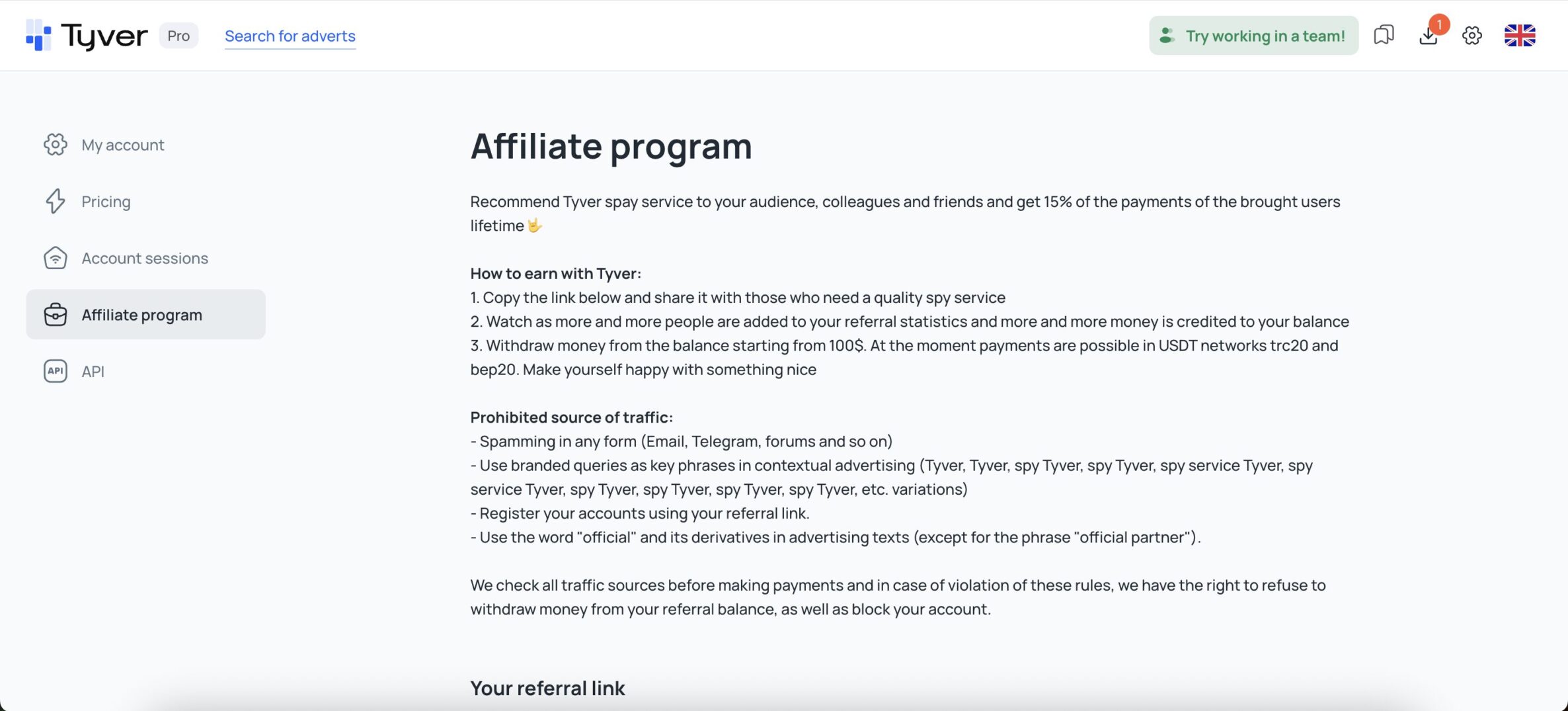
TYVER also has its own affiliate program, which allows you to earn money from referrals. You receive 15% of the lifetime payments made by users you refer. The minimum withdrawal amount is $100. Available withdrawal methods include USDT on the TRC20 and BEP20 networks.
In Summary
The main value of any spy service lies in having a large database of creatives, as well as the ability to easily find exactly what you need. And TYVER meets both of these needs. You can quickly and easily find any ads by sorting them by a variety of parameters. This significantly speeds up the process of preparing for an upload. What more could you ask for from a spy service?
So follow the link and sign up. And of course, follow the service on social media:

- 12
- 0
- 0
- By rating
- In order